---
## What is this?
Proxmox VE Helper-Scripts lets you install and configure popular self-hosted services on Proxmox VE with a single command. No manual package hunting, no config file archaeology — paste a command into your Proxmox shell, answer a few prompts, and your container or VM is up and running.
The project started as [@tteck](https://github.com/tteck)'s personal toolkit and has since grown into a community-maintained collection covering hundreds of services: home automation, media servers, networking tools, databases, monitoring stacks, and more.
---
## Requirements
| Component | Details |
|---|---|
| **Proxmox VE** | Version 8.4, 9.0, or 9.1 |
| **Host OS** | Debian-based with Proxmox tools installed |
| **Access** | Root shell access on the Proxmox host |
| **Network** | Internet connection required during installation |
---
## Getting Started
### Option 1 — Browse the website (recommended)
The fastest way to find and run scripts:
1. Go to **[community-scripts.org](https://community-scripts.org)**
2. Search for the service you want (e.g. "Home Assistant", "Nginx Proxy Manager", "Jellyfin")
3. Copy the one-line command from the script page
4. Open your **Proxmox Shell** and paste it
5. Choose between **Default** or **Advanced** setup and follow the prompts
Each script page also documents what the container includes, default resource allocation, and post-install notes.
### Option 2 — Script manager in your Proxmox UI
Install a local menu that lets you browse and run scripts without leaving the Proxmox interface:
```bash
bash -c "$(curl -fsSL https://raw.githubusercontent.com/community-scripts/ProxmoxVE/main/ct/pve-scripts-local.sh)"
```
Once installed, a **Helper-Scripts** menu appears in your Proxmox UI sidebar. See [ProxmoxVE-Local](https://github.com/community-scripts/ProxmoxVE-Local) for more details.
---
## How Scripts Work
Every script follows the same pattern:
**Default mode** — Picks sensible resource defaults (CPU, RAM, storage) and asks only the minimum required questions. Most installs finish in under five minutes.
**Advanced mode** — Gives you full control over container settings, networking, storage backends, and application-level configuration before anything is installed.
After installation, each container ships with a **post-install helper** accessible from the Proxmox shell. It handles common tasks like:
- Applying updates to the installed service
- Changing application settings without manually editing config files
- Basic troubleshooting and log access
---
## What's Included
The repository covers a wide range of categories. A few examples:
| Category | Examples |
|---|---|
| Home Automation | Home Assistant, Zigbee2MQTT, ESPHome, Node-RED |
| Media | Jellyfin, Plex, Radarr, Sonarr, Immich |
| Networking | AdGuard Home, Nginx Proxy Manager, Pi-hole, Traefik |
| Monitoring | Grafana, Prometheus, Uptime Kuma, Netdata |
| Databases | PostgreSQL, MariaDB, Redis, InfluxDB |
| Security | Vaultwarden, CrowdSec, Authentik |
| Dev & Tools | Gitea, Portainer, VS Code Server, n8n |
> Browse the full list at **[community-scripts.org](https://community-scripts.org)** — new scripts are added regularly.
---
## Contributing
This project runs on community contributions. Whether you want to write new scripts, improve existing ones, or just report a bug — every bit helps.
### Where to start
| I want to… | Go here |
|---|---|
| Add a new script or improve an existing one | [Contributing Guidelines](https://github.com/community-scripts/ProxmoxVE/blob/main/docs/contribution/README.md) |
| Test scripts before they hit production | [ProxmoxVED (dev repo)](https://github.com/community-scripts/ProxmoxVED) |
| Report a bug or broken script | [Issues](https://github.com/community-scripts/ProxmoxVE/issues) |
| Request a new script or feature | [Discussions](https://github.com/community-scripts/ProxmoxVE/discussions) |
| Get help or chat with other users | [Discord](https://discord.gg/3AnUqsXnmK) |
### Before you open a PR
- Read the [Contributing Guidelines](https://github.com/community-scripts/ProxmoxVE/blob/main/docs/contribution/README.md) — they cover script structure, variable naming, required metadata, and how the review process works.
- Test your changes in [ProxmoxVED](https://github.com/community-scripts/ProxmoxVED) first. PRs against the main repo without prior testing in VED are unlikely to be merged quickly.
- Keep scripts focused. One script, one service.
- Document what your script installs and any non-obvious decisions in the corresponding JSON metadata file.
---
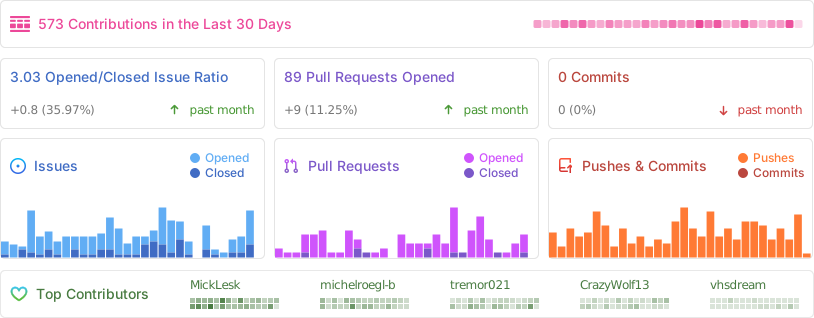
## Project Activity